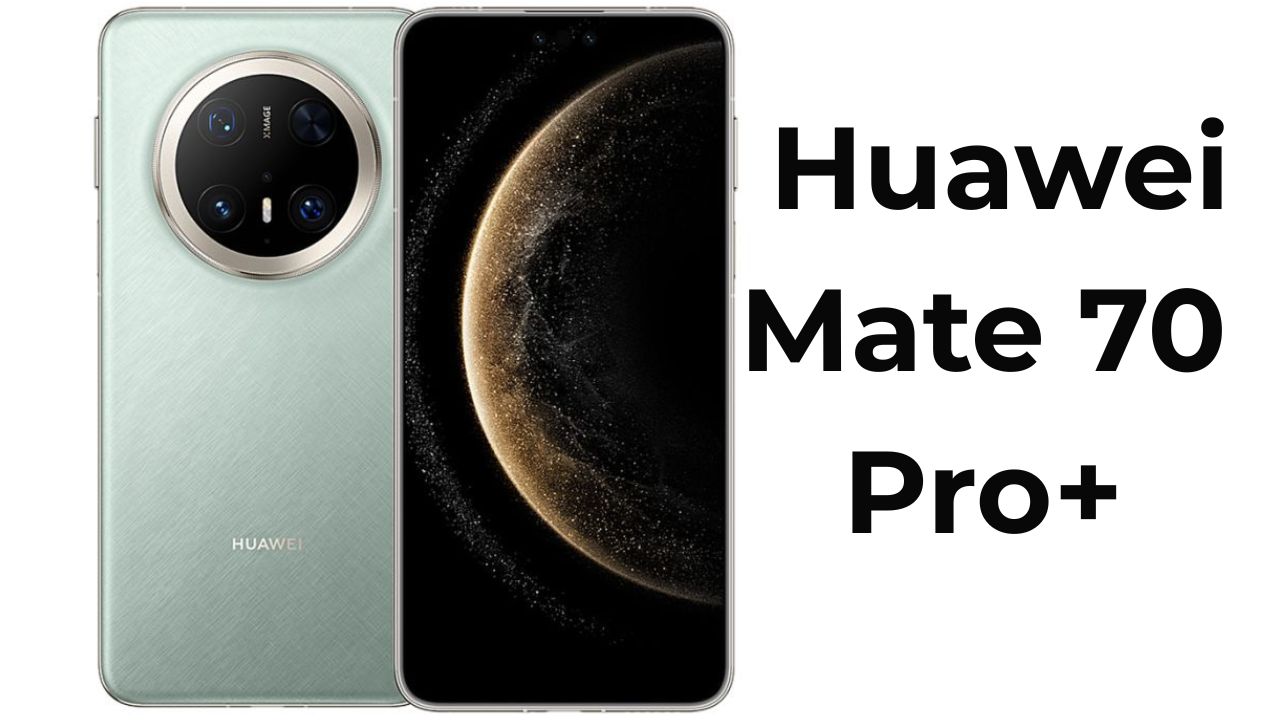
When I first heard about HarmonyOS Next, I honestly didn’t expect it to feel this fresh. I’ve been following Huawei’s journey ever since the company started building its own ecosystem after parting ways with Google. Over the years, we’ve seen small steps—EMUI, HarmonyOS 2, 3, 4—but this one, HarmonyOS Next (also known as HarmonyOS 5.0), feels like a completely new direction. I recently installed it on my Huawei Mate 70 Pro+, and after spending a few days exploring every menu, animation, and feature, I can confidently say this is the most polished and bold version of Huawei’s software yet. Let me take you through my personal experience and what it’s really like to live with HarmonyOS Next.
First Impressions: A Fresh Start for Huawei
The moment my phone booted up after the update, I could sense something different. The interface looked familiar at first glance—clean, minimal, and elegant—but under the surface, everything had changed. HarmonyOS Next is no longer built on the Android kernel. Instead, it uses Huawei’s own HongMeng microkernel, which means Huawei has finally taken full control of its operating system. It’s like seeing a child grow up and move out to live independently. And yes, this independence brings both excitement and a few rough edges.
What’s New in HarmonyOS Next
When you dive into the Settings, the layout immediately feels a little inspired by iOS. The “About Device” section now appears right at the top, and many of the previous EMUI-style sections are simplified or reorganized. Huawei has also introduced something called Open Harmony, which is basically the open-source framework behind the OS. My device was running version 5.0.1.23, which landed just a day before I started testing. One major difference you’ll notice right away is that APK files no longer work. That’s right — HarmonyOS Next doesn’t rely on Android architecture anymore. Instead, Huawei has introduced a new HarmonyOS app format that runs natively. While this is a huge technical shift, it also means most global apps are currently unavailable unless they’re rebuilt for this new ecosystem.
App Support and Limitations
Let’s be honest — this is where things get tricky. Google services still don’t run natively. You can install them using virtual machines or third-party workarounds like Easy Abroad, but features like notifications or background syncing are still unreliable. I tried running Google apps like YouTube, Gmail, and Maps. They opened fine, but notifications didn’t always appear on time. Apps like Telegram and Facebook worked too, but again, you can feel that Huawei’s app ecosystem still has some catching up to do. The AppGallery, Huawei’s own store, is growing fast in China but remains limited internationally. Many popular Chinese apps like Doin (the Chinese TikTok) or QQ are available, but for global users, this OS still feels like it’s in beta. That said, I have to give Huawei credit — they’re moving in the right direction. The system itself runs incredibly smooth and stable despite the app limitations.
Smooth Animations and Refined Design
Now, this is where HarmonyOS Next truly shines. Every swipe, tap, and scroll feels buttery smooth. Animations flow beautifully — windows bounce gently, icons expand softly, and the transitions between apps feel alive. It’s not just eye candy. The fluid design language makes the experience feel cohesive and responsive. Even after hours of use, I didn’t notice a single stutter or lag. Huawei clearly spent a lot of time optimizing the animation engine, and it shows. In fact, this might be the smoothest interface I’ve ever seen on a smartphone, Android or otherwise.
Control Center and Notifications
Huawei has kept the familiar layout here: swipe down from the left for notifications and swipe down from the right for the control center. It’s similar to iOS, yes, but Huawei’s version feels more functional. The toggles have a new pill-shaped design, and the whole interface now has a more rounded, futuristic look. The brightness slider is also more interactive — you can press, slide, and release it like a real dial. One small thing I wish Huawei would fix is the inability to pull down notifications from anywhere on the screen. With such tall displays, it’s just inconvenient to stretch all the way to the top.
New Additions: Ad-Lock, Universal Drag and Drop, and More
One of the coolest new features in HarmonyOS Next is the Ad-Lock function. You can lock any app using facial recognition or a fingerprint — and the moment it sees your face, it unlocks. It’s fast, simple, and feels secure. Another smart touch is the Universal Drag and Drop system. Imagine dragging a photo from your gallery and dropping it directly into a file folder or even another device connected via Huawei’s Super Device Hub. It’s as natural as moving objects on a desk. These small but clever touches make the whole experience feel more connected and futuristic.
Lock Screen and Themes: A Touch of Art
Huawei’s design team has really outdone themselves here. The lock screen customization is stunning. You can change fonts, colors, styles, and even add widgets for weather or music right on the lock screen. Some themes use 3D effects and motion sensors. For example, when I applied a “basketball” theme, tiny basketballs bounced across my lock screen whenever I moved the phone. Another “AI Time Travel” theme generated wallpapers of me in different historical styles using Huawei’s Celia AI. It’s both fun and a little wild — the kind of creativity you rarely see in mobile OS design these days.
AI Everywhere: Celia Gets Smarter
Speaking of Celia, Huawei’s voice assistant has evolved into something much more powerful. You can hold the bottom bar, ask questions in English, and get surprisingly detailed answers — though some responses still appear in Chinese. Celia also integrates deeply with apps. For instance, when I opened a photo of my Pixel phone, I could drag it into Celia, and it instantly identified the model, description, and even listed prices online. It’s not perfect yet, but you can tell Huawei is leaning heavily into AI-driven interactions, from smart editing tools in the Gallery to voice summaries in the Notes app.
Camera Interface: Familiar Yet Polished
The camera UI hasn’t changed drastically, but it’s more refined. The icons now sit on semi-transparent panels, giving a modern, clean vibe. Modes like Pro, Portrait, and Night are all still there, and the performance remains as excellent as before. Huawei’s photography prowess is already well-known, and HarmonyOS Next complements that with smoother transitions, faster previews, and simpler customization.
Performance and Everyday Use
Here’s where I was genuinely surprised. Despite being a beta version, HarmonyOS Next ran flawlessly on my Mate 70 Pro+. App switching was instant, multitasking felt light, and even after long hours, the phone stayed cool. File transfers now work better too. With the new update, you can directly connect the phone to a Windows PC using the MTP protocol. It’s not groundbreaking, but it’s convenient to have that flexibility again. Overall, it feels like Huawei finally found its rhythm. The OS doesn’t feel like a copy of Android or iOS anymore — it’s carving its own path.
The Road Ahead
Of course, HarmonyOS Next isn’t perfect. The biggest challenge remains the lack of global app compatibility and limited language support. It’s still mainly targeted at Chinese users, and unless Huawei expands developer support internationally, it’ll be difficult for average users outside China to switch completely. But from a technical and design perspective, this OS proves that Huawei can stand on its own. The microkernel architecture, AI integration, and seamless animations all signal that HarmonyOS isn’t just an Android fork anymore — it’s a genuine new player in the mobile OS world.
Final Thoughts
After spending days exploring HarmonyOS Next on the Huawei Mate 70 Pro+, I came away genuinely impressed. It’s bold, fast, beautifully animated, and refreshingly different. Yes, the app ecosystem still needs time to mature. Yes, some global users will face limitations. But for Huawei fans, this is the start of something truly new — a complete Huawei experience, built from the ground up. If you’re someone who loves exploring fresh tech and doesn’t mind a few rough edges, HarmonyOS Next will make you smile. It’s a clear sign that Huawei’s future is no longer tied to Android — it’s building its own world, one update at a time